Linux Mint

  • Christian Chat is a moderated online Christian community allowing Christians around the world to fellowship with each other in real time chat via webcam, voice, and text, with the Christian Chat app. You can also start or participate in a Bible-based discussion here in the Christian Chat Forums, where members can also share with each other their own videos, pictures, or favorite Christian music.

    If you are a Christian and need encouragement and fellowship, we're here for you! If you are not a Christian but interested in knowing more about Jesus our Lord, you're also welcome! Want to know what the Bible says, and how you can apply it to your life? Join us!

    To make new Christian friends now around the world, click here to join Christian Chat.
I just now tried antiX Linux for the first time. Not bad. I put it on the (very old, incredibly slow) laptop I stashed in the church sound booth to record sermons and play music during prayer/meet-and-greet times (different playlists for those two times.)

This old box was made for Vista. It ran Linux Mint, but grudgingly. But antiX runs very well.

AntiX is not as user friendly though. You gotta cut some corners to make it work on a computer this slow. You can't just drag-and-drop files and folders onto the desktop, you have to open another file browser and go to "desktop" and copy them over. Good luck trying to put an icon for a favorite program on the desktop. Don't get me started on trying to change the computer clock.

But for what this old box will be doing, it works great. I wouldn't recommend this for a daily driver for a person who just wants the computer to work without fiddling with command lines in terminals, but it works well for a nerd to record sermons and play audio folders on shuffle.

 
  • Like
Reactions: Squigglylines
I just now tried antiX Linux for the first time. Not bad. I put it on the (very old, incredibly slow) laptop I stashed in the church sound booth to record sermons and play music during prayer/meet-and-greet times (different playlists for those two times.)

This old box was made for Vista. It ran Linux Mint, but grudgingly. But antiX runs very well.

AntiX is not as user friendly though. You gotta cut some corners to make it work on a computer this slow. You can't just drag-and-drop files and folders onto the desktop, you have to open another file browser and go to "desktop" and copy them over. Good luck trying to put an icon for a favorite program on the desktop. Don't get me started on trying to change the computer clock.

But for what this old box will be doing, it works great. I wouldn't recommend this for a daily driver for a person who just wants the computer to work without fiddling with command lines in terminals, but it works well for a nerd to record sermons and play audio folders on shuffle.
.
Ive tried the 32bit full version and like it so far. I had searched in Gemini AI by asking it for a suggested list of Linux distros to run on it based on it's ram.cpu ect. It suggested AntiX "full" version over the others because it had a larger set of driver inventory. I thought I would try first to see if it would set up the wifi without using the either-net and it did. I like the way it has the system monitor on the desktop but some might not.
 
I'm seriously thinking of ditching Windows. I won't downgrade to Win 11. I am concerned about malware and privacy. I've heard that Linux Mint is good for those wanting a toe in the Linux water. has anyone any knowledge of it? I'm probably level 2 or 3 out of 10 when it comes to computers. I have wireless internet.
Currently using my HP Laptop with Linux Mint. It's excellent so far.
 
Currently using my HP Laptop with Linux Mint. It's excellent so far.

Just the same as getting a new phone or having to figure out where everything is when upgrading from one windows to the next version you just figure out where everything is and how it works the more you use it. After a while you get more and more comfortable with it.
 
.
Ive tried the 32bit full version and like it so far. I had searched in Gemini AI by asking it for a suggested list of Linux distros to run on it based on it's ram.cpu ect. It suggested AntiX "full" version over the others because it had a larger set of driver inventory. I thought I would try first to see if it would set up the wifi without using the either-net and it did. I like the way it has the system monitor on the desktop but some might not.
How do you put a program shortcut on the desktop? How!?!

I googled the question and it took me to an obscure folder in /usr where I was supposed to drag the audacity shortcut onto the desktop. But it wouldn't give me permission to do it. I even opened the same folder as root, still no luck.
 
How do you put a program shortcut on the desktop? How!?!

I googled the question and it took me to an obscure folder in /usr where I was supposed to drag the audacity shortcut onto the desktop. But it wouldn't give me permission to do it. I even opened the same folder as root, still no luck.

Either in SpaceFM or ROX-filer /user/share/applications then drag .desktop to your desktop is suppose to create a clickable shortcut . I haven't tried it but once to get an icon for the browser to make it easier to get to the private browser but had no luck so far. I also ran into problems hooking it to a printer because of missing cups. Is your AntiX 64 or 32 bit and is it the core or full version?
 
Either in SpaceFM or ROX-filer /user/share/applications then drag .desktop to your desktop is suppose to create a clickable shortcut . I haven't tried it but once to get an icon for the browser to make it easier to get to the private browser but had no luck so far. I also ran into problems hooking it to a printer because of missing cups. Is your AntiX 64 or 32 bit and is it the core or full version?
64-bit, full.

Although I admit I did try to drag the shortcut to the desktop, not to the folder labeled desktop. I'm going to try dragging it to the folder when I get home.
 
  • Like
Reactions: Squigglylines
64-bit, full.

Although I admit I did try to drag the shortcut to the desktop, not to the folder labeled desktop. I'm going to try dragging it to the folder when I get home.

Let me know if you would what you figure out.
 
Short version: only use antiX if the poor computer is so old and slow that it just won't run Linux mint at all, or if you are a nerd and don't mind fiddling a lot just to get a small performance boost.

I am such a nerd, so I will keep trying antiX.
 
That ends up becoming an addiction though. The great search for a 32bit OS that led me to AntiX started with an old HP533W from 2003 that I had in the garage. It still boots up windows ME just fine but after an hour or so the capacitors start failing. Then I had to dig through all the parts I had in bins and found enough caps to rebuild the MB and PS. It was when I was setting up the soldering station when it hit me that it was just kidding myself and stopped. Now it's just sitting back on the shelf again because I cant convince myself to junk it. Then it changed to wondering if it would work on a Gateway U2008LT? AntiX I notice is the only distro that comes with ZzzFM when downloaded but the more I read about it MX,Puppy,Arch,Void and Debian Linux all now include it in their repositories also for if one chooses to use it. Anyway I think I'll still mess with it for a while just for the learning experience.
 
Let me know if you would what you figure out.
IT WORKED!

You can't drag and drop to the desktop itself. You have to copy from the folder and paste into the "desktop" folder. But I got my Audacity shortcut on the desktop.
 
That ends up becoming an addiction though. The great search for a 32bit OS that led me to AntiX started with an old HP533W from 2003 that I had in the garage. It still boots up windows ME just fine but after an hour or so the capacitors start failing. Then I had to dig through all the parts I had in bins and found enough caps to rebuild the MB and PS. It was when I was setting up the soldering station when it hit me that it was just kidding myself and stopped. Now it's just sitting back on the shelf again because I cant convince myself to junk it. Then it changed to wondering if it would work on a Gateway U2008LT? AntiX I notice is the only distro that comes with ZzzFM when downloaded but the more I read about it MX,Puppy,Arch,Void and Debian Linux all now include it in their repositories also for if one chooses to use it. Anyway I think I'll still mess with it for a while just for the learning experience.
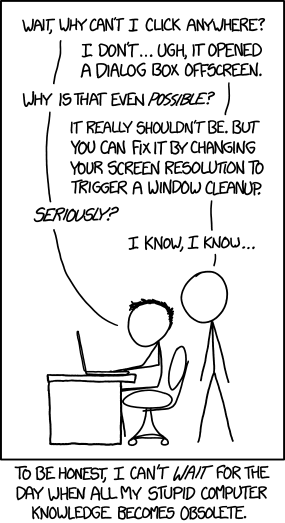
Yeah, well... About that learning experience...


troubleshooting.png


"Oh you're using the Chrome APP, not the Chrome EXTENSION. They look a lot alike but they handle window creation very different" is a thing I really would like to be able to stop saying someday.
 
  • Like
Reactions: Squigglylines
Just the same as getting a new phone or having to figure out where everything is when upgrading from one windows to the next version you just figure out where everything is and how it works the more you use it. After a while you get more and more comfortable with it.
I'm considering quitting Firefox and using Brave. I can't stop Firefox searching in the address bar. I've tried the fixes. They work on Windows but not Linux. Go figure.
 
  • Like
Reactions: Squigglylines
I'm considering quitting Firefox and using Brave. I can't stop Firefox searching in the address bar. I've tried the fixes. They work on Windows but not Linux. Go figure.

I never could stop it either I just got use to it over time. I also stopped using the regular Firefox that opens with all the clutter and began using the private browser, (right click the Firefox icon, menu opens then go to "private browser") it doesn't hide things from everyone but it acts as a add blocker,deletes cookies,logins ect. after closing the page. it explains what it does after you open it and what it don't do but it also put what to type in the address bar other than the search box on the Firefox page. You can put other browsers on Mint your comfortable with just type in the search the browsers name + Linux Mint and AI will give the suggestions.
 
Yeah, well... About that learning experience...


troubleshooting.png


"Oh you're using the Chrome APP, not the Chrome EXTENSION. They look a lot alike but they handle window creation very different" is a thing I really would like to be able to stop saying someday.

I found also that the manual for ZzzFM is on the AntiX OS when downloaded it's at xdg-open/usr/share/doc/zzzfm-manuel-en-html in terminal. The link in post #31 on the AntiX page doesn't open for the manual but it's suppose to open on the computer the AntiX is running on(I'm running Ubuntu at the moment). The link Ceph gave in post #29 is suppose to be close also ZzzFM is a fork off SpaceFM