Searching for files

  • Thread starter Thread starter Ugly
  • Start date Start date
  • Christian Chat is a moderated online Christian community allowing Christians around the world to fellowship with each other in real time chat via webcam, voice, and text, with the Christian Chat app. You can also start or participate in a Bible-based discussion here in the Christian Chat Forums, where members can also share with each other their own videos, pictures, or favorite Christian music.

    If you are a Christian and need encouragement and fellowship, we're here for you! If you are not a Christian but interested in knowing more about Jesus our Lord, you're also welcome! Want to know what the Bible says, and how you can apply it to your life? Join us!

    To make new Christian friends now around the world, click here to join Christian Chat.
U

Ugly

Guest
I'm trying to find a way to do a search to locate all 320kbps MP3's on my computer. Is this possible? Using Window's 8.1.

 
I don't have access to that OS, but I found a page ( Windows 8.1 Search Tips & Tricks )

which says a bit down the explanation:
Here you can click on the sub-menu items like 'Kind', 'Size' or 'Date Modified' (see above). Alternatively, you can master the AQS syntax and type search commands in box to the right.

...dunno if "kind" has an option mp3
 
I found the 'kind' and 'size' options. But it gives you a drop down list. Music was an option for kind. For size they give you a drop down list of size ranges to choose from. But that's file size and not Kbps size.
And I have no idea what AQS syntax even means.
 

in the search box of an explorer window, type this:

bitrate:> 319
 
Last edited:
Searching, for that something that I can't define,
in another place another time
searching...

Sorry folks this thread made me think of a song :p
 
Post - Doesn't work. I have each album in a separate folder. So i have to go through 2000+ folders one at a time. Hence my seeking for a simpler way.
 
I don't have enough music (at least not spread around) on my computer to test this:

What happens if you simply open a folder somewhere high up (I.E the library) and then search for .mp3 ?
.... and then sort the results by whatever sort options are available in Win 8
 
I came across this. Dunno how many search options it gives, or if it works with win 8

Taglib Property Handler

 
That worked kilden! Par-tay!
The disturbing part is how many come up as 0. Or under 128.
And way more 320 than I was hoping for. And even a 745!?
Also a number that listed with nothing at all, but when I click on it it shows the bitrate. Oi!

But thanks to both of you for the help. (=
 
Typing in " bitrate:> 319 " returned me a giant page of 3,733 of my recordings. Probably every one I have.
 
Post - Doesn't work. I have each album in a separate folder. So i have to go through 2000+ folders one at a time. Hence my seeking for a simpler way.

really? worked for me just fine.
and i have all my music in separate folders - by album, nested in artist folders, nested in music folders in a couple different locations.

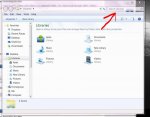
i just had an explorer window open to 'libraries' -- the default location when i open a new explorer window -- so i wasn't searching a specific folder; searching the whole machine.

this is windows 7.1, but i don't think there is a difference (?)

Capture.jpg

Capture.jpg

 
Typing in " bitrate:> 319 " returned me a giant page of 3,733 of my recordings. Probably every one I have.

yes, because post was dumb. you have to add "kbps" to the end of the search string. otherwise, "319" is unitless, and "bitrate" has a logical value of 0 or 1, lol. so you get like, all results.

you can use this method to search the computer by any property/descriptor that can be listed in the explorer window ((artist name, type, size, length, etc))
 
I'm trying to find a way to do a search to locate all 320kbps MP3's on my computer. Is this possible? Using Window's 8.1.

Yes, just import all your music into windows media player (let it search entire computer....and then click on the column to add sort by "bit rate" and voila you have them all sorted to 320kbps down to the lowest. I believe you can choose what your lowest bit rate import is in the library options of WMP but not sure... I recently did a similar thing with my mp3's to make sure they were all 128/192 kbps, just let windows media player do the work for you....