Downloading commentaries and dictionaries on eSword

  • Thread starter Thread starter Mooky
  • Start date Start date
  • Christian Chat is a moderated online Christian community allowing Christians around the world to fellowship with each other in real time chat via webcam, voice, and text, with the Christian Chat app. You can also start or participate in a Bible-based discussion here in the Christian Chat Forums, where members can also share with each other their own videos, pictures, or favorite Christian music.

    If you are a Christian and need encouragement and fellowship, we're here for you! If you are not a Christian but interested in knowing more about Jesus our Lord, you're also welcome! Want to know what the Bible says, and how you can apply it to your life? Join us!

    To make new Christian friends now around the world, click here to join Christian Chat.
M

Mooky

Guest
Hi all,
I was so excited to finally download eSword on my laptop but I can't seem to download commentaries and dictionaries.(When I go to the list of commentaries - that are free - I click on them and they appear lower down on the screen but don't seem to be loading as they stay at 0%.)
Any tip on how to get started, as I am keen to get going with some great bible studies?

Thanks,
Mooky.
 
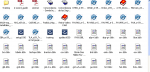
The easiest way I have is putting all of them inside the E-sword folder, where you got it installed on your disk C:, where other progs are installed on Windows OS.
 
Once you got them on that folder, the system will prompt you to follow its instructions or, when you have it working, double click on those extras downloaded, as you see mine.

sowrd.png

Once you done all, keep a copy of that folder, in case you need it to install in another PC or whenever you need your HDD re-formatted.

The easiest way to install IT is BY using the autoex foldes (today the SETUP 1030) and adding in the created e-Sword folder on C: All the options are going to work alone as you clicked on the direct access on your desktop (some options will prompt you to take actions) but that is very friendly to have it installed.

P.S.

Inside there is a pdf guide, too.