How to embrace this new interface....

  • Thread starter Thread starter toinena
  • Start date Start date
  • Christian Chat is a moderated online Christian community allowing Christians around the world to fellowship with each other in real time chat via webcam, voice, and text, with the Christian Chat app. You can also start or participate in a Bible-based discussion here in the Christian Chat Forums, where members can also share with each other their own videos, pictures, or favorite Christian music.

    If you are a Christian and need encouragement and fellowship, we're here for you! If you are not a Christian but interested in knowing more about Jesus our Lord, you're also welcome! Want to know what the Bible says, and how you can apply it to your life? Join us!

    To make new Christian friends now around the world, click here to join Christian Chat.
What exactly is tagging people, and how to you do it or undo it. I think the old site had this too but I never learned anything about it.
I dunno what tagging does... I saw it being mentioned on the live stream kitty vid I was watching, the mods kept telling people not to tag them heehee but I do not know what it does, maybe it is an alert of some kind? I dunno :unsure:
 
On one site I was on, if you said a mod's name, they got some kind of alert, I guess that is a type of tagging? Then the mod would come to that thread to see who was talking smack about them LOLOLOL

On another note, my sentences keep getting underlined in red :p
 
  • Like
Reactions: joefizz and Mel85
How does this tag thing work?
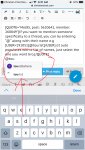
If you want to mention someone specifically to a thread, you can by entering “@“ along with their name e.g @tourist (it auto populates with a list of names, just select the one you want bro.
 
On one site I was on, if you said a mod's name, they got some kind of alert, I guess that is a type of tagging? Then the mod would come to that thread to see who was talking smack about them LOLOLOL

On another note, my sentences keep getting underlined in red :p

Perhaps the mod was a teacher and was grading the students. Most likely, the mod thought he / she was a principal.
 
  • Like
Reactions: Magenta
Have we figured out how long the edit time is yet? It is not three years long any more :D:devilish:
 
Haha why are your images so huge?
Hello dearest Mag ❤️ On mobile, you have two options on how you’d like your image viewed. Either on the screen (like mine) or via thumbnail (I’m sure you know what that is :p).
 
  • Like
Reactions: Magenta
Hello dearest Mag ❤️ On mobile, you have two options on how you’d like your image viewed. Either on the screen (like mine) or via thumbnail (I’m sure you know what that is :p).
Yes, I have seen that option presented to me as well :) The first time I wen to post an image, I clicked each one to see what it did, but saw nothing happen until I actually posted my message, and then three images appeared haha so I quickly edited two of them out :D
 
  • Like
Reactions: Mel85
On your post sidebar on left-hand side click on the down arrow and that will expand the information and you will see your post count. However, the age is no longer listed which is important in considering the type of response. The sidebar seems to be a bit glitchy and you may have to refresh the page if you want to see your post count immediately otherwise clicking on the arrow may not work. Another trick to overcome this is to click on several other members sidebar arrow until the information expands, then click on your own post sidebar and your post count should go up along with other current information such as new trophy points awarded and likes received. Another thing, since each member has the same color it is impossible for a new member to easily determine whether the member is a male or female. This too is important information in determining a response. Once you click on down arrow it will change to an up arrow. Click to contract.

If you go into your settings, you can make your age appear. It looks like it is automatically disabled, but if you do want to share it, you can. @tourist
 
Yes, I have seen that option presented to me as well :) The first time I wen to post an image, I clicked each one to see what it did, but saw nothing happen until I actually posted my message, and then three images appeared haha so I quickly edited two of them out :D
There should be an “preview” option for you to preview your post before submitting it :)
 
  • Like
Reactions: Magenta
What exactly is tagging people, and how to you do it or undo it. I think the old site had this too but I never learned anything about it.
It just notifies them that you said something to them and does not require a quote. You simply put the @ symbol and type their username. Then click on their name as it pops down.
 
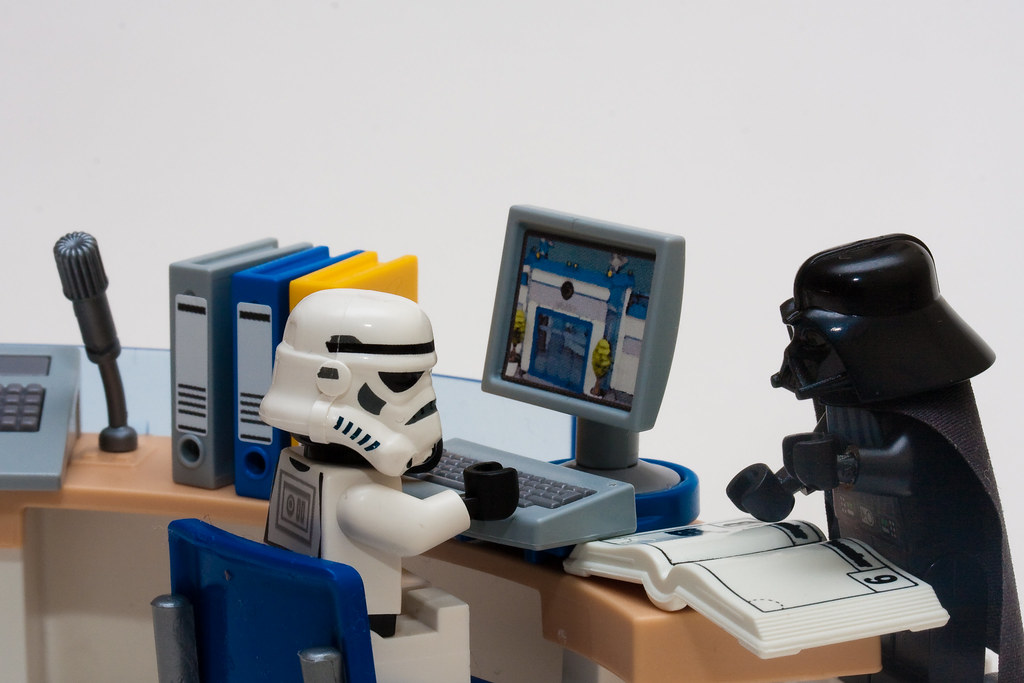
Stormtrooper: How do I post a gif on this thing??

Darth Vader:
I have no idea.. Ask zero. He always knows..

4325846087_3a0da9230c_b.jpg
 
  • Like
Reactions: Magenta and joefizz