FAQ? how do you...?

  • Thread starter Thread starter AZJudy
  • Start date Start date
  • Christian Chat is a moderated online Christian community allowing Christians around the world to fellowship with each other in real time chat via webcam, voice, and text, with the Christian Chat app. You can also start or participate in a Bible-based discussion here in the Christian Chat Forums, where members can also share with each other their own videos, pictures, or favorite Christian music.

    If you are a Christian and need encouragement and fellowship, we're here for you! If you are not a Christian but interested in knowing more about Jesus our Lord, you're also welcome! Want to know what the Bible says, and how you can apply it to your life? Join us!

    To make new Christian friends now around the world, click here to join Christian Chat.
A

AZJudy

Guest
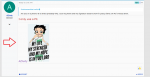
I made my signature. It isn't showing up in my posts. Is this a paid member privilege? These kinds of questions are why CC could use a Faq.

 
I made my signature. It isn't showing up in my posts. Is this a paid member privilege? These kinds of questions are why CC could use a Faq.
Are you on a phone? If so that's probably why. I use my phone and my signature doesn't show in posts, either. On PC it would show.
 
Hello Judy I'm on my phone at work so it's easier not to quote you but anyway the avatar is the image that shows up to the left hand side of every post you make ... it's also at the top of every page... Yours is an "A" right now corresponding to the first letter of your user name, but if you insert an image it will change to that image. Top of every page avatar when clicked opens up to give you a host of selectable links to other parts of your profile. Again I can't check but that's probably where you would go to insert an image for your avatar. There are links connected to the avatar to the left of your messages also. Life bits show on the main page across the top underneath the CC links ... I'm on my phone right now so I can't double check how it looks from a laptop point of view, which I know you're using, or PC, but you can insert images into your life bits albums and create multiple albums there and then other people can look at them at any time from your profile or from the main page.
 
  • Like
Reactions: Eli1
If you click the image for your name at the top right hand side of the page the image itself has "edit avatar" written on it at the bottom of image ... and if you click that you can insert an image from your device to become your new avatar image. The recommended size is 400 by 400 pixels.

PS you are welcome!!! [[[hugs]]]
 
  • Like
Reactions: Eli1
Once you put something in your life bits you can always use the link given for it if you wish to post the image again on Christian chat, because Christian Chat then essentially becomes your image host for that file.
 
  • Like
Reactions: Eli1
Once you put something in your life bits you can always use the link given for it if you wish to post the image again on Christian chat, because Christian Chat then essentially becomes your image host for that file.

You are so sweet and a tremendous help. I appreciate your answers but I can wait if you are at work. Bosses can be frightening.😊 I learn something every time so things again. (Don't you get tired of hearing "thanks."😁
 
You are so sweet and a tremendous help. I appreciate your answers but I can wait if you are at work. Bosses can be frightening.😊 I learn something every time so things again. (Don't you get tired of hearing "thanks."😁
My boss is a gem and does allow me to be online when we're not very busy but right now I just have a couple of more rolls to scan and then I get to go home at 3 o'clock... so I will be sure to check back once I get home, and no, I never tire of hearing thank you LOL :D
 
When I click my avatar at the top of the page, and the app opens with multiple links, I have to
hover my cursor over my avatar image in the app before "Edit avatar" appears for me to select...