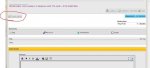
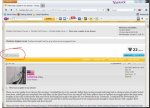
How to post a picture in here (a quick tutorial)

  • Christian Chat is a moderated online Christian community allowing Christians around the world to fellowship with each other in real time chat via webcam, voice, and text, with the Christian Chat app. You can also start or participate in a Bible-based discussion here in the Christian Chat Forums, where members can also share with each other their own videos, pictures, or favorite Christian music.

    If you are a Christian and need encouragement and fellowship, we're here for you! If you are not a Christian but interested in knowing more about Jesus our Lord, you're also welcome! Want to know what the Bible says, and how you can apply it to your life? Join us!

    To make new Christian friends now around the world, click here to join Christian Chat.
Html code is disabled in these forums for security. The only means of posting vids is with the special youtube bb tag.

 
Does anyone remember where the instructions for quoting different people in the same post is? I'd like it to be posted in here, please :). Oh, also how to multi-quote the same person. Thanks :).
 
Html code is disabled in these forums for security. The only means of posting vids is with the special youtube bb tag.

2091b9d6_nooooooooo.jpeg
 
Failure and criticism are not always bad. If we take the time to ponder both, our lives can be enriched. At some point these things may lead us to success and wisdom, and what we once saw as criticism we may, in time, see as encouragement.
 
I cant find where the URL is for an image I edited saved in my folders.. can you even upload those?
 
If the image is stored in your computer you can just do an attachment. Click the paper clip icon and it will open an attachment window. Click browse and it will take you to your photo files. Double click on the image you want and then click the download button in the attachment window. I don't know if there's a better way but it's how I do it.
 

Attachments

  • Capture.JPG
    Capture.JPG
    92.4 KB · Views: 110
  • Capture 2.JPG
    Capture 2.JPG
    140 KB · Views: 106
Oh Oncefallen, I think you have more options than me... when I post I have two mountain peaks icon to add image.. and it says enter the URL.. otherwise, I don't have a paperclip :(
 
You must be posting your replies in the "quick reply" box at the bottom of the page. The first image in my prior post is what you see when you hit the "post reply" button at the top or bottom of the page. I intentionally did not show anything that you would not see.


Attachments

  • Capture 4.jpg
    Capture 4.jpg
    32.6 KB · Views: 106
  • Capture 3.jpg
    Capture 3.jpg
    81.5 KB · Views: 105
Ah get out of town!!! I didn't even see that!! Thanks Oncefallen :D Im going to try it out
 
Will it work?
 

Attachments

  • The-best-top-desktop-yellow-wallpapers-yellow-wallpaper-yellow-background-hd-26.jpg
    The-best-top-desktop-yellow-wallpapers-yellow-wallpaper-yellow-background-hd-26.jpg
    22 KB · Views: 105
step 3, type this right after the portion of the link you copied and pasted: [/youtube]

Then you should have a line of text that looks like what Lightning posted :) And you're done :)


thank you! that was very helpful!!!!! thank you for walking me thru...i made one!!! it worked!!!!!
You are such a beautiful creation of God!!!!!
 
Lol. I'm still trying. Will come and try again later. Doing it on I phone.
 
Lol. I'm still trying. Will come and try again later. Doing it on I phone.
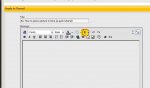
When you create a thread, or reply to one, there is a 'Preview Post' option. Clicking that first, to test if your pictures show or not would probably be a better option than spamming threads. If it shows up on the preview it will show in the forums.