Needing help with a used laptop.

  • Christian Chat is a moderated online Christian community allowing Christians around the world to fellowship with each other in real time chat via webcam, voice, and text, with the Christian Chat app. You can also start or participate in a Bible-based discussion here in the Christian Chat Forums, where members can also share with each other their own videos, pictures, or favorite Christian music.

    If you are a Christian and need encouragement and fellowship, we're here for you! If you are not a Christian but interested in knowing more about Jesus our Lord, you're also welcome! Want to know what the Bible says, and how you can apply it to your life? Join us!

    To make new Christian friends now around the world, click here to join Christian Chat.

Addison

Senior Member
Jun 28, 2014
1,028
47
0
56
Hey all.

So I was given a laptop but I can't seem to do much with it.

I can get online and use a web browser but that's all.

If I try to install video drivers, it says the computer is offline.

I tried downloading Windows 10 through the help menu, but after it was finished, I got some error saying that it couldn't be verified after it was scanned.

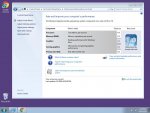
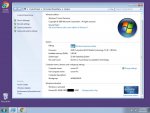
Can I find a Windows 7 installation torrent and use the Product ID code in the first picture here?

I have an Emachine Windows XP install CDs from my old computer, can I use those?

I really think the laptop needs an entire fresh install but I don't know how to begin.

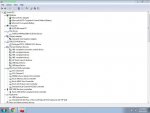
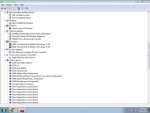
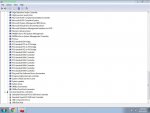
Here are some screenshots that I hope will be helpful on this.

Thanks ahead if anyone responds with suggestions. :o

Capture.jpg

Capture1.jpg

Capture2.jpg

Capture3.jpg

Capture4.jpg
 
Addison said:
Can I find a Windows 7 installation torrent and use the Product ID code in the first picture here?
No, the product ID is not the same as the Windows product key. You need the Window product key.

You can find the product key on a sticker somewhere on the laptop (usually). It's a code consisting of 5 groups of 5 numbers and letters (so 25 altogether). It looks like this: xxxxx-xxxxx-xxxxx-xxxxx-xxxxx. If you don't have the sticker, you can use a third party program to relay the key to you; I hear good things about Belarc and Magical Jelly Bean for finding your key.

I have an Emachine Windows XP install CDs from my old computer, can I use those?
Maybe, but it depends on a few things:

  1. Does the computer in question have a Windows product key for Windows XP? If not, do you have an XP key you can use for the computer?
  2. Does the computer in question have an "OEM product key"? If so, it may not work with your eMachines install media. Computer manufacturers use their own OEM Windows product keys, which often times do not cooperate with anything other than OEM Windows install media designed for that specific computer manufacturer.
  3. Does the computer in question have Windows XP drivers available for download from the manufacturer's website? If not, you MIGHT be able to get the drivers through Windows updates and/or vendors, but it makes for a more tedious process.

Keep in mind, though, that XP has been abandoned and is no longer supported by Microsoft, meaning that there have been no updates for it for quite awhile, and that many modern programs may not run on it.

I really think the laptop needs an entire fresh install but I don't know how to begin.
If you want to reinstall Windows 7, you can download a Windows 7 .iso (image file) from here (you'll need said product key first, though). You can then burn that to a DVD and install Windows from that, or use the Microsoft USB prep tool to set up Windows 7 on a USB flash drive, then you can install it from that. You don't need the product key to install Windows 7, but you will need it in order to activate Windows (without activation, you won't receive Windows updates and you'll be nagged about it).

EDIT: Sorry for the long post!
 
Last edited:
So I used Magical Jelly Bean and went to that Windows download site you mentioned.

[h=2]Error[/h]The product key you entered appears to be for software pre-installed by the device manufacturer. Please contact the device manufacturer for software recovery options.


There is a Vista product key sticker on the bottom of the laptop but it's a bit worn and I can't seem to make out all of the letters and numbers. :(

Anyway, turning the thing on is either a hit or miss.

Either the screen won't turn on and it goes into an endless reboot or it loads just fine but not much works on it. Most applications get stuck with a not responding message.

I can't update anything because direct service isn't turned on and all it suggests is rebooting the computer.

I think I'll try to take a HD picture of the product key tomorrow and zoom it in and maybe apply some software filters to the image. Perhaps I'll be able to better see the entire code.

All I really want to do with this thing is perhaps play Diablo 2 and the original Sims in bed.
♥
 
Ah, well that's kind of a bummer. But! At least now we know that you have an OEM key for Windows Vista, specifically. That's why you received the error; your key is only good for reinstalling Windows Vista.

I'm not sure whether your reboot issue is related to the computer's hardware, or if it's the classic Vista update issue (it's possible that the computer was upgraded from Vista to 7, thus carrying over any issues the Vista install had). There are things you can try, but it would be a long post if I tried walking you through them. A Windows reinstall is likely to clear up any and all problems you're having.

All I really want to do with this thing is perhaps play Diablo 2 and the original Sims in bed. ♥
Are the BNet servers still up for D2? I miss that game sometimes.
 
Yeah, it's a Vista product code and I'm able to make out most of it except for possibly 2 or 3 numbers or letters. The rest I can read very well.

I'm not sure how it got upgraded to Windows 7.

The Magical Jelly Bean code and the one under the laptop are completely different.

I was also thinking that the screen not even turning on was hardware, but if it does boot up, I can open and close the laptop with no problems at all.

If it was hardware, I would think the screen wouldn't be stable when doing this.

I'll try and take a picture of that code here soon and post it here.

Maybe your big brain can think of something. :)
 
Hmmm be careful with torrent windows as they are hit/miss for spyware....

Why don't you try linux mint 17.3? I use it and it is great! All the drivers are mostly included in the OS as generic drivers and it has near 99% compatibility with any hardware. You can run it off a usb stick (make sure to choose in bios to boot from usb) and then start the computer after saving that setting.

https://linuxmint.com/download.php

Download the cinnamon version for a windows like menu/experience.....and try it out by installing/running it off the usb....you can use it to test out your laptop hardware (wifi card, audio card etc) to make sure it still works and is not a hardware failure issue.

I have a triple boot win7, win8, and LM 17.3 it's awesome always having a backup OS on the same hard drive (partitioned)..

Hope everything goes smooth for you!
 
Linux is good. I also use it in a dual boot with Windows 10. I don't know how well Diablo 2 or Sims runs on current Linux distros, though.

Addison said:
If it was hardware, I would think the screen wouldn't be stable when doing this.

I'll try and take a picture of that code here soon and post it here.
Yes, I agree. The only thing I can think of that would lead to it being intermittent is the video cable; sometimes a loose connection, or a bad cable, will be inconsistent like that.

If by code, you mean the product key, then don't post it publicly; anyone on the site or using a search engine could find it and use it. It would be better to PM that to me so only I can steal it. :p (But if you meant something else by "code," posting it publicly should be A-Okay.)
 
Yeah, it's a Vista product code and I'm able to make out most of it except for possibly 2 or 3 numbers or letters. The rest I can read very well.

I'm not sure how it got upgraded to Windows 7.

The Magical Jelly Bean code and the one under the laptop are completely different.

I was also thinking that the screen not even turning on was hardware, but if it does boot up, I can open and close the laptop with no problems at all.

If it was hardware, I would think the screen wouldn't be stable when doing this.

I'll try and take a picture of that code here soon and post it here.

Maybe your big brain can think of something. :)

I've worked on laptops a lot as a tech hobby. If the screen is gone try using an external monitor to make sure it's not the GPU of the laptop that is burned/unsoldered due to excessive heat in laptops and age the solder on the gpu breaks apart/develops cracks and this can cause video/screen issues....

If it does come up on an external monitor/tv then you probably need a new laptop screen which is easy to replace....just watch youtube videos for your particular brand/model to replace the screen then take that exact same screen number model (on back of lcd once taken apart) and buy the same one...don't but a generic b/c a lot of the newer laptop screens have "bios" written into the LCD card to only interact with certain brands of laptops/motherboards.....

If it's a broken GPU then your out of luck and unless you can get someone to professionally heat stamp/resolder the gpu (which can be expensive) and still won't be worth it....your better off buying a new laptops/slightly used one at thrift stores and then stripping the old one of parts and using the parts on your new laptop/used one....I did this and got 3 yrs out of a used laptop by just cleaning the fan and adding on parts from other broken laptops.....I used it to download stuff and preserve my new laptop from use until it finally gave up the ghost via gpu heat but hey it's a 7 yr old laptop and when I bought it was only 4 yrs old..and I got it for like $90 so getting 3 yrs out of $90 was a good investment imo....

There are a lot of DIY things you can do with a laptop including making it into a TV screen....lol anyway enough of my rambling....let me know if you need help diagnosing anything! :)
 
Linux is good. I also use it in a dual boot with Windows 10. I don't know how well Diablo 2 or Sims runs on current Linux distros, though.


Yes, I agree. The only thing I can think of that would lead to it being intermittent is the video cable; sometimes a loose connection, or a bad cable, will be inconsistent like that.

If by code, you mean the product key, then don't post it publicly; anyone on the site or using a search engine could find it and use it. It would be better to PM that to me so only I can steal it. :p (But if you meant something else by "code," posting it publicly should be A-Okay.)

I know how windows/linux can mess up the bootloader due to updates on either os.....

so I suggest everyone should have this tool I use called EasyBCD...

As long as you can boot into windows you can use EASY BCD to restore boot options for LINUX, Windows Xp,7,8,10,mac and other os'es like android as well....great tool to backup your bootloader/fix it especially the grub and kernel in linux.

EasyBCD - NeoSmart Technologies
 

Can I find a Windows 7 installation torrent and use the Product ID code in the first picture here?

if you torrent an OS, it should come with a README detailing what product key to use. follow the directions in the torrented OS.

((not commenting at all on rightness or wrongness of doing such a thing))
 
Okay.

So with the help and many thanks to Siberian I have Windows Vista Home Premium Edition all cleanly installed on this piece.

I also was able to get it registered online as well. :)

Now comes the sadness.....

ZE40lCk.png


zF6d31D.png


At least the computer knows it's garbage. :p

There are stickers on it that say "AMD TURION64 x2 MOBILE TECHNOLOGY" and "Graphics by NVIDIA".

It also shows that it's an "HP Pavilion Entertainment PC".

I guess it maybe needs video drivers but Windows troubleshooting or that Diablo II game had zero suggestions on how to problem solve this.

Oh, and turning the laptop on, the chances of the screen lighting up are around 20% or so.

Once it's on though, it stays on, even when I'm kicking it.

So do I need to hunt down some video drivers?

For some reason it's still just using a standard VGA graphics adapter.
 
Okay.

So with the help and many thanks to Siberian I have Windows Vista Home Premium Edition all cleanly installed on this piece.

I also was able to get it registered online as well. :)

Now comes the sadness.....

ZE40lCk.png


zF6d31D.png


At least the computer knows it's garbage. :p

There are stickers on it that say "AMD TURION64 x2 MOBILE TECHNOLOGY" and "Graphics by NVIDIA".

It also shows that it's an "HP Pavilion Entertainment PC".

I guess it maybe needs video drivers but Windows troubleshooting or that Diablo II game had zero suggestions on how to problem solve this.

Oh, and turning the laptop on, the chances of the screen lighting up are around 20% or so.

Once it's on though, it stays on, even when I'm kicking it.

So do I need to hunt down some video drivers?

For some reason it's still just using a standard VGA graphics adapter.

This is what you need for direct X to run that game....

https://www.microsoft.com/en-in/download/details.aspx?id=8109


And then go to the website of the laptop manufacturer and download their video card driver for your model

DO NOT get the generic NVIDIA/ATI graphics from NVIDIA/ATI as it has massive bloatware that will slow your laptop down...get it from the laptop manufacturer they thin out the packages to the essentials....
 
Okay.

So with the help and many thanks to Siberian I have Windows Vista Home Premium Edition all cleanly installed on this piece.

I also was able to get it registered online as well. :)

Now comes the sadness.....

ZE40lCk.png


zF6d31D.png


At least the computer knows it's garbage. :p

There are stickers on it that say "AMD TURION64 x2 MOBILE TECHNOLOGY" and "Graphics by NVIDIA".

It also shows that it's an "HP Pavilion Entertainment PC".

I guess it maybe needs video drivers but Windows troubleshooting or that Diablo II game had zero suggestions on how to problem solve this.

Oh, and turning the laptop on, the chances of the screen lighting up are around 20% or so.

Once it's on though, it stays on, even when I'm kicking it.

So do I need to hunt down some video drivers?

For some reason it's still just using a standard VGA graphics adapter.

To get the first part of the model go to start click run then type in "dxdiag" it will show you your model of laptop/pc plus memory graphics driver etc.....it runs the direct X diagnostic and will show you your version of direct X ( needed along with OpenGL and video driver to run most windows games esp older ones).
 
Do you know/can you find the exact model of the laptop? (Pavillion Entertainment PC is a line/series.)
 
By pressing F2 on boot you can find the model of the machine or going into Windows cmd line and copy this in to the cmd line will help find the model of the laptop "wmic baseboard get product,Manufacturer,version,serialnumber"
 
I'm beginning to think this thing is goosed.

When I turn it on now, it keeps going into an endless reboot after the Windows loading screen appears. :(
 
I'm beginning to think this thing is goosed.

When I turn it on now, it keeps going into an endless reboot after the Windows loading screen appears. :(
How to fix Windows 7 or Vista Update Loop (Restart) problem. - wintips.org - Windows Tips & How-tos

Windows Vista has a known problem with one (maybe more) of its updates that causes an endless boot loop. I'm guessing that's what you ran into. I highly doubt it's any fault of the PC (unless the PC is fully powering off on you, then powering back on).